Case study · Builder.ai
Builder Enterprise, from zero to one
A platform that lets non-technical business teams plan, build and run the apps they need, without a tech team of their own.
- Problem and role
- Non-technical SMB operators were stuck with fragmented, outdated tools, and building custom software felt out of reach. As Design Manager I worked hands-on as the product designer, and built the design system from 0 to 1.
- Team and scale
- With Aakash Kumar (PM), Priyanka (Head of Product) and 15+ engineers. Sep 2022 to Sep 2024. Alpha, heading to beta.
- The idea
- One place where leaders see their builds, spend and timelines, and act on them in a few clicks.
Outcome
$7.5M
beta deal, backed by design prototypes and iterative testing
68%
adoption growth, by making AI-led workflows easy to use
+15%
customer lifetime value, from transparent AI suggestions
How do we help non-technical SMBs who need many apps build them fast?
Context
Priya runs operations, not a tech team
Priya is the Operations Manager of a fast-growing SMB. Her business scaled quickly, but its software didn't. The stack was outdated and disconnected, so every department improvised with manual workflows and error-prone processes.
Her job is to keep sales, support, inventory and fulfilment running smoothly. Instead she spends her days chasing data and handling complaints. With no tech team and no time for custom development, she needs a way to build apps that connect her people, processes and data.
The core problem: non-technical SMB operators struggle with fragmented, outdated tools that make building and managing apps too complex.
01
Lines are blurring
The gap between traditional and digital businesses is closing, which pushes more of them online.
02
Demand outpaces supply
Demand for people who build software is growing far faster than the supply.
03
Shared building blocks
80% of software shares common, Lego-like feature stacks, yet there was still no way to speed up app development.
04
Legacy is a burden
Legacy systems weigh on every enterprise CFO, and changing business needs keep challenging the C-suite.
Research
Designing with no access to the C-suite
I interviewed key stakeholders about the product vision, the user groups they expected, today's pain points in software development and how much customisation enterprises would want. We had no access to C-suite users, and the business goals were still taking shape, so I used AI to map likely pain points and turned them into four personas: Olivia (CEO), Cameron (project manager), Riley (business analyst) and Morgan (marketing).
01
Platform objectives
Speed up software development, and make collaboration across teams and geographies easier.
02
Users and roles
A mixed base, from the C-suite to product and project owners and team leads, many of them non-technical.
03
What users struggle with
Little time for hands-on tech decisions, hard-to-track progress, and gaps between business and technical teams.
04
Design challenge
Navigate ambiguity and keep the design aligned with business goals, using limited data.
Decision 01 · Structure
One structure for every role
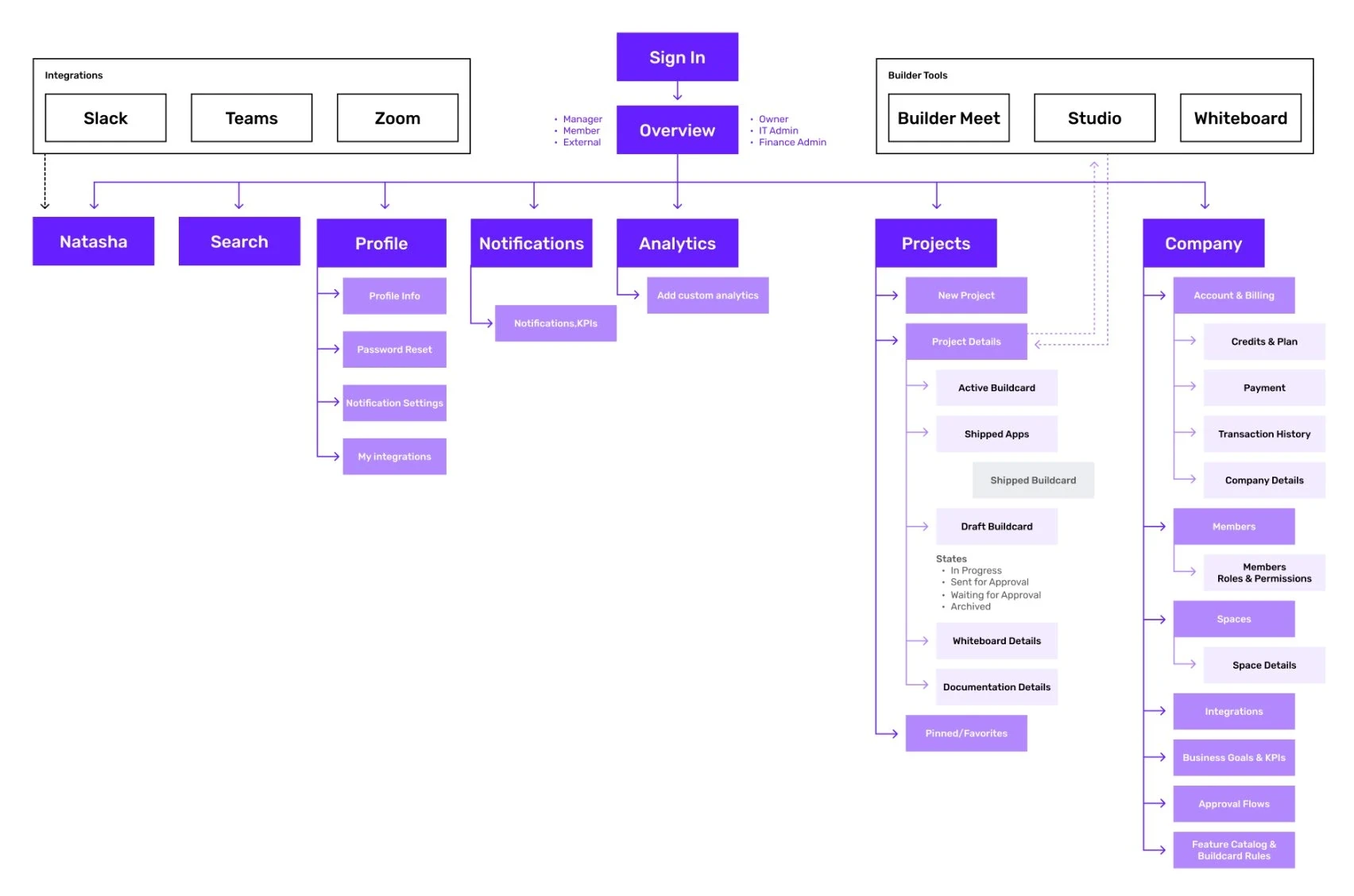
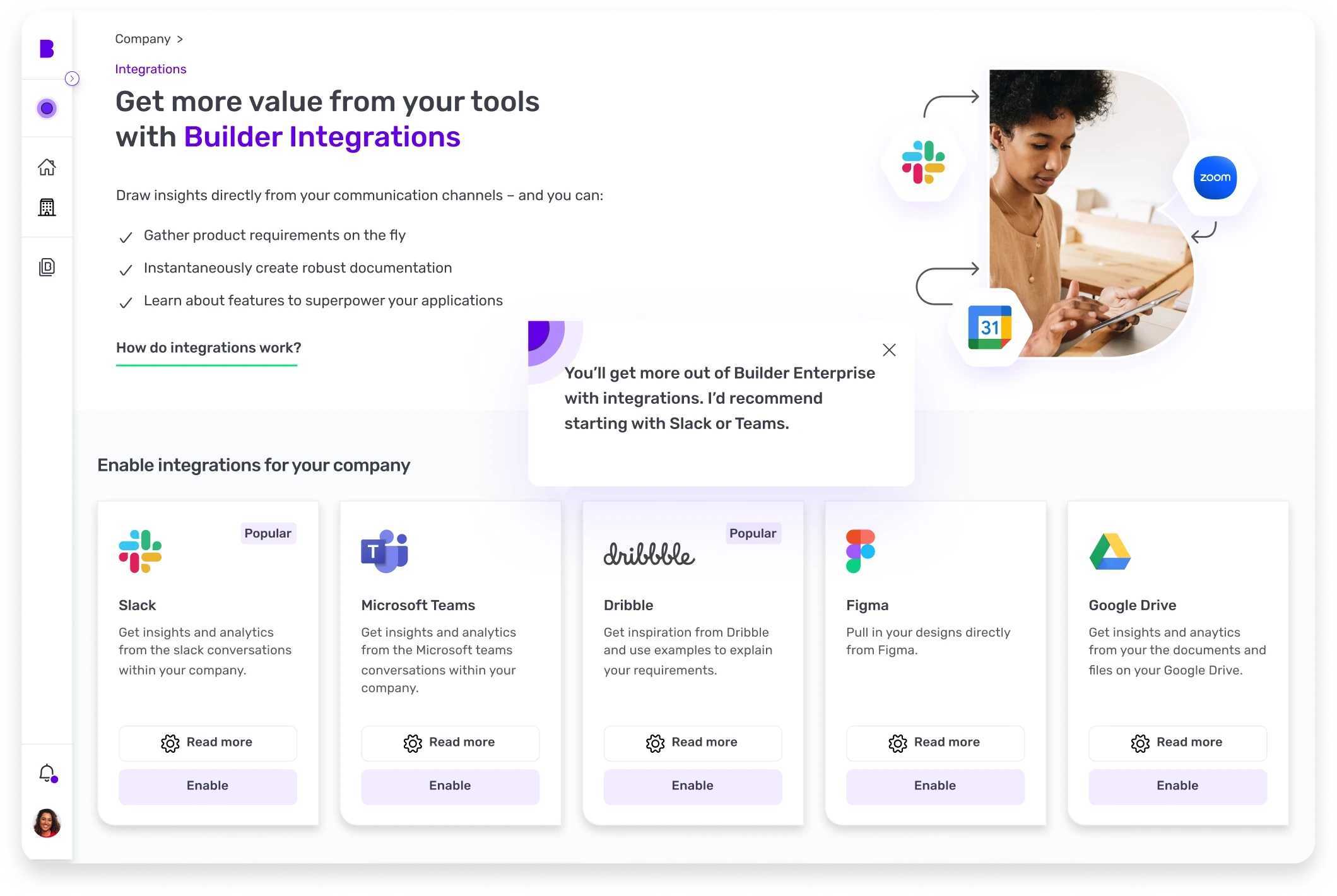
I designed the information architecture so every role starts from one overview, with projects, company, analytics and Natasha, the AI assistant, one step away. Slack, Teams and Zoom plug in, and Builder's own tools (Meet, Studio, Whiteboard) sit inside the same frame.
Decision 02 · Flows
Same platform, different intent
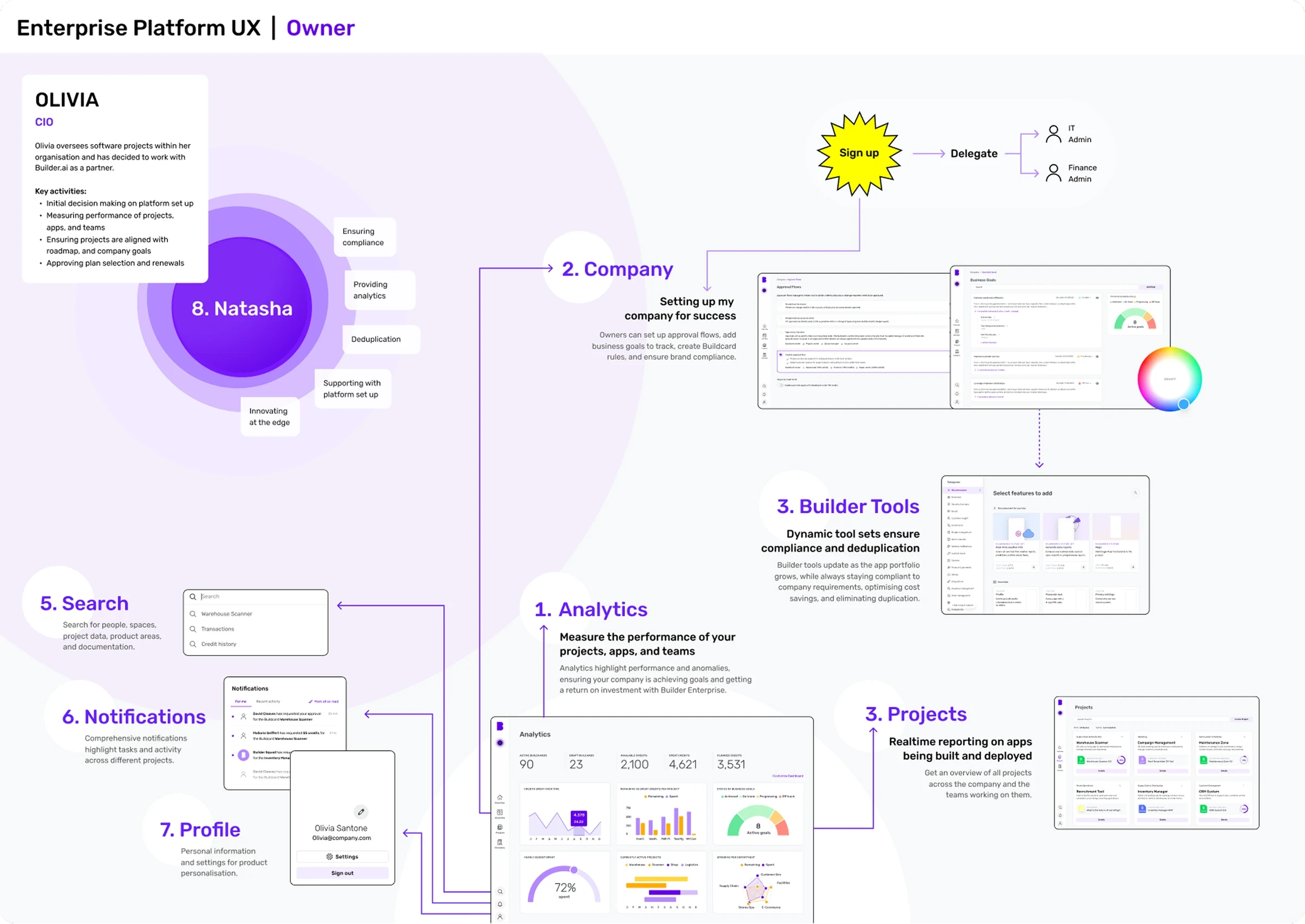
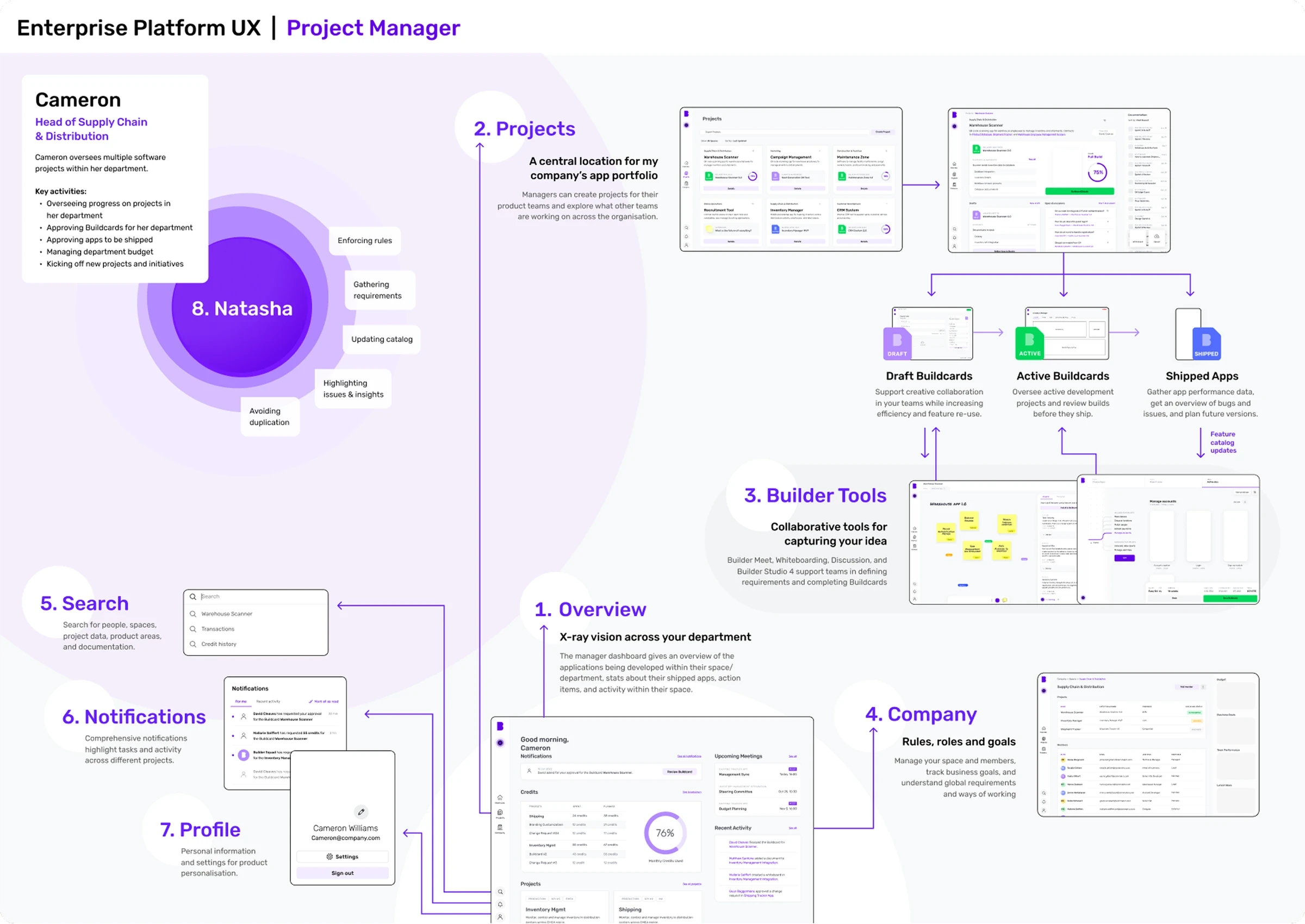
I mapped a flow for each persona. Olivia, the owner, starts from analytics and company setup. Cameron, the project manager, starts from the overview and projects. One product, shaped around what each person needs to do first.
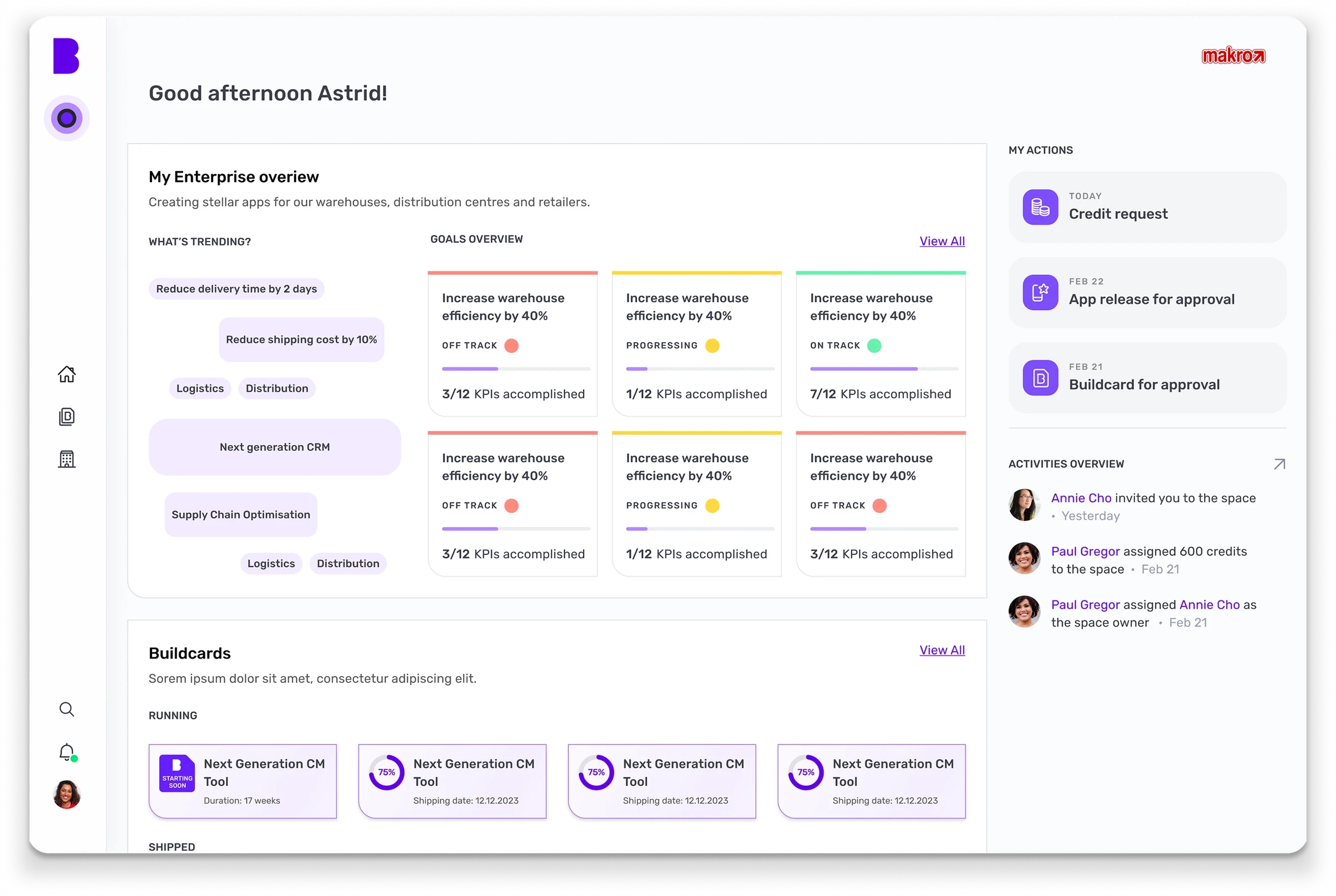
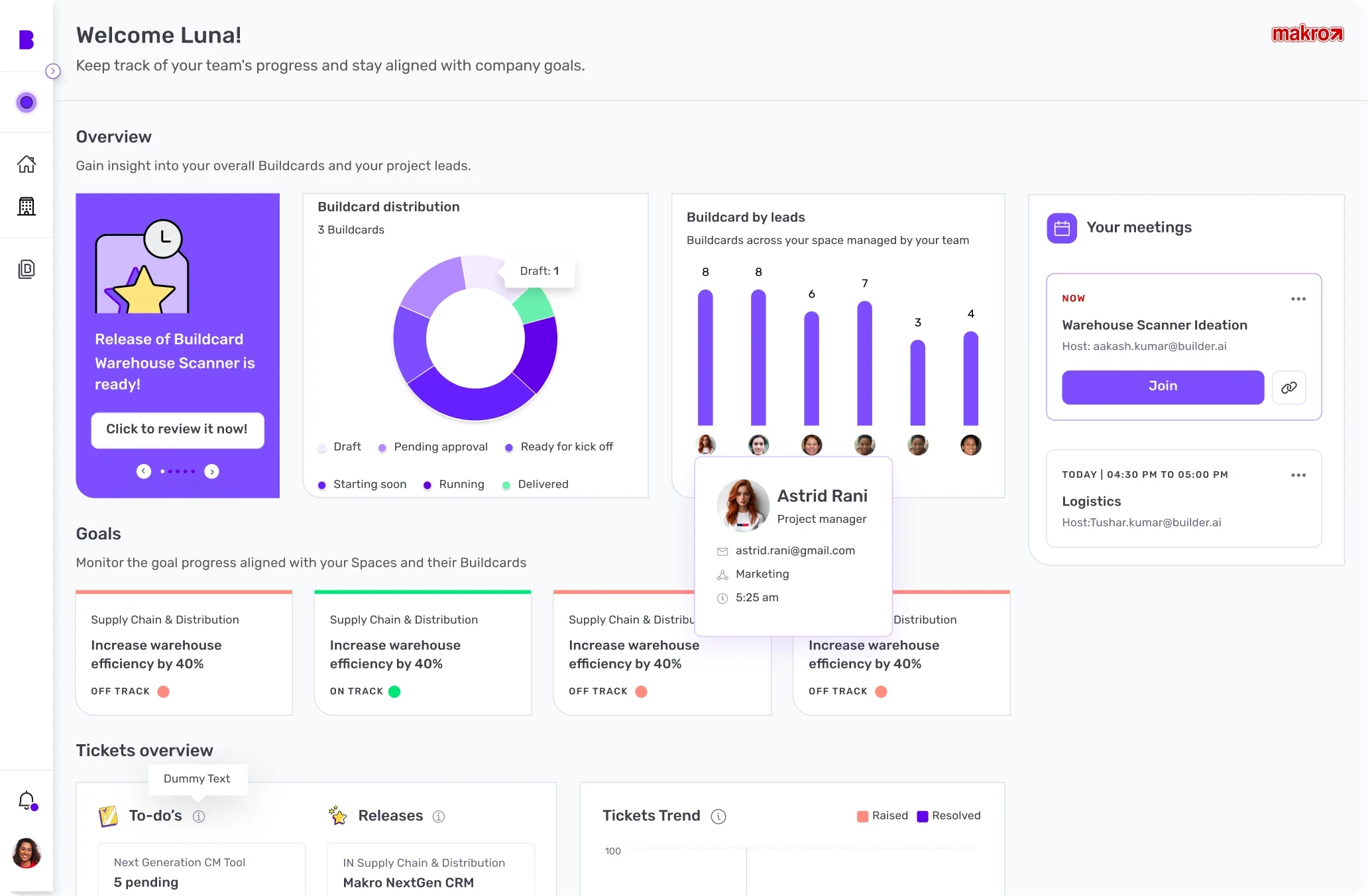
Decision 03 · Dashboard
From visibility to control
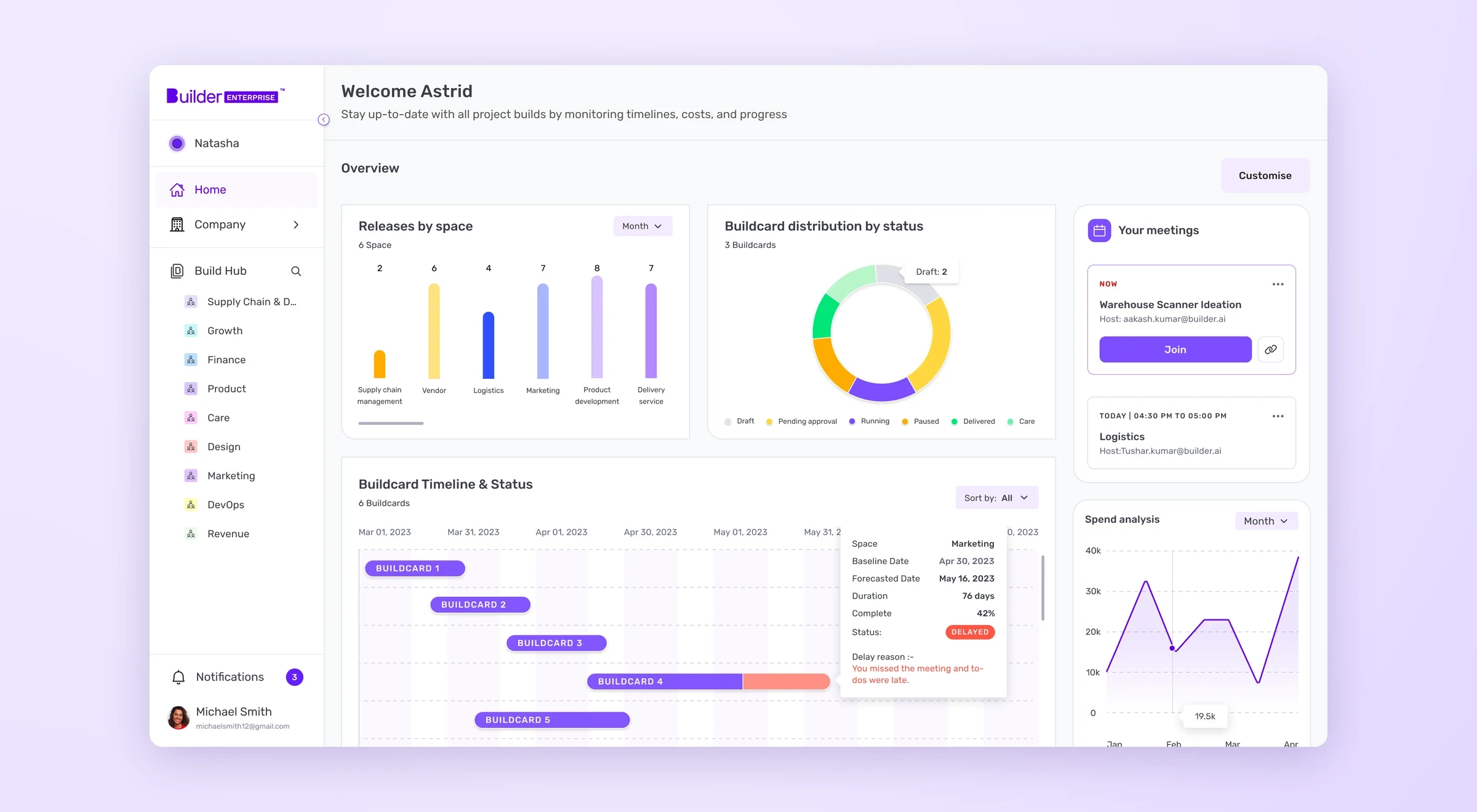
The first dashboard gave leaders visibility. The final iteration, in fig. 1, focused on control, clarity and acting early.
- Customisable, so leaders choose what they see first
- Navigation that scales as the number of apps grows
- Meetings in view, to cut context switching
- Clear credit spend, for better usage decisions
- Status at a glance, and timelines that flag risks early
Decision 04 · Spend
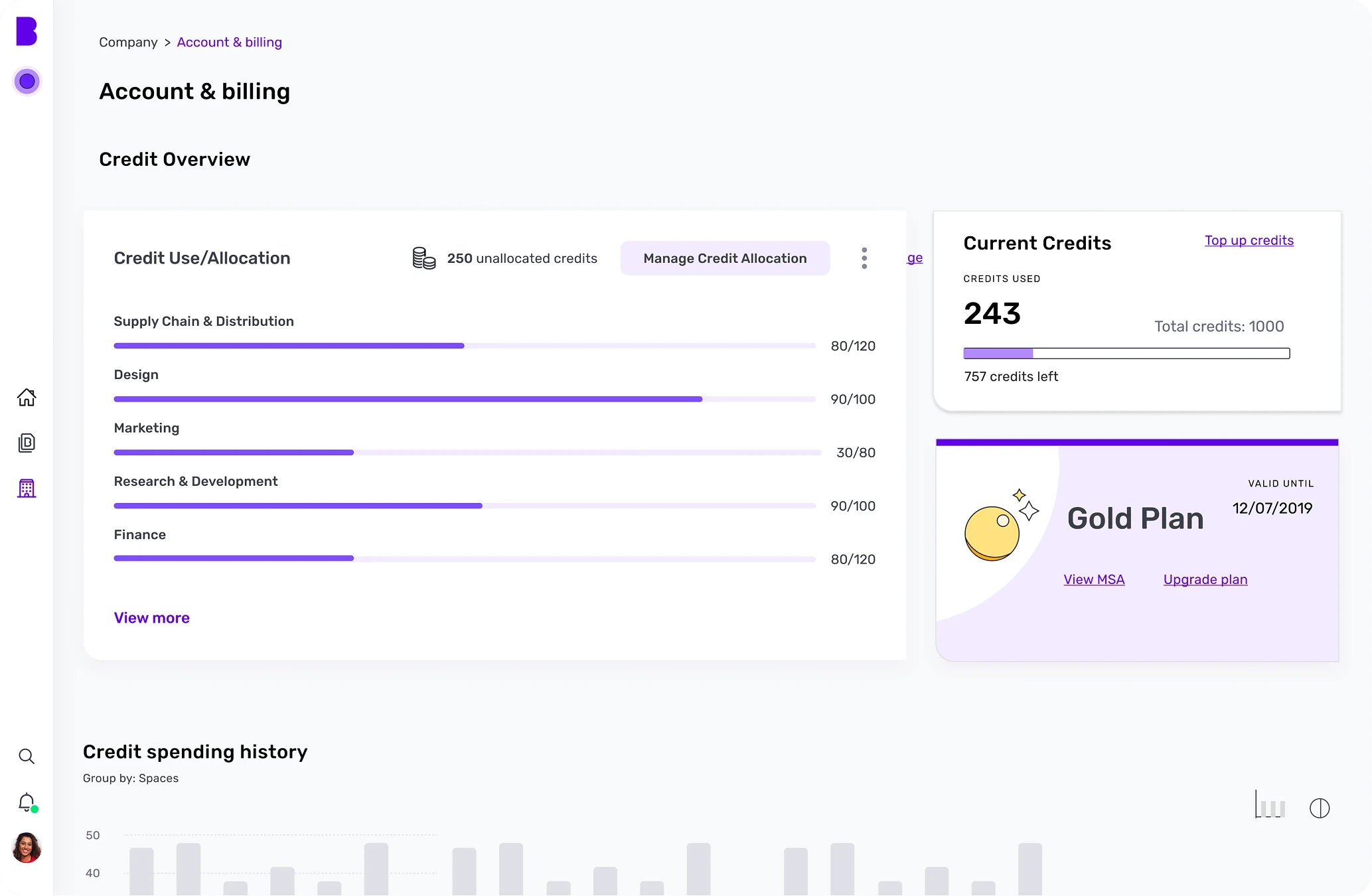
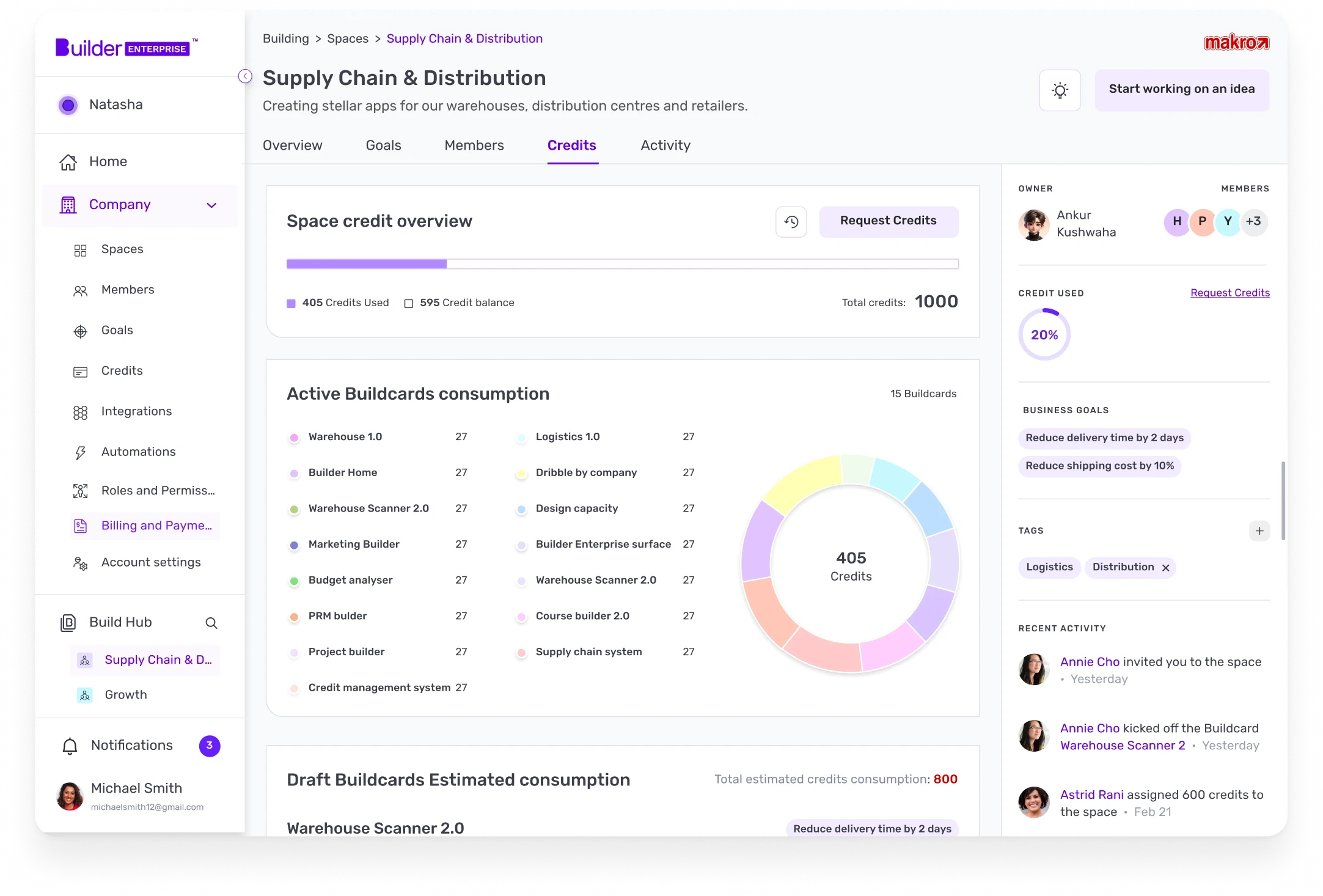
Making credit spend transparent
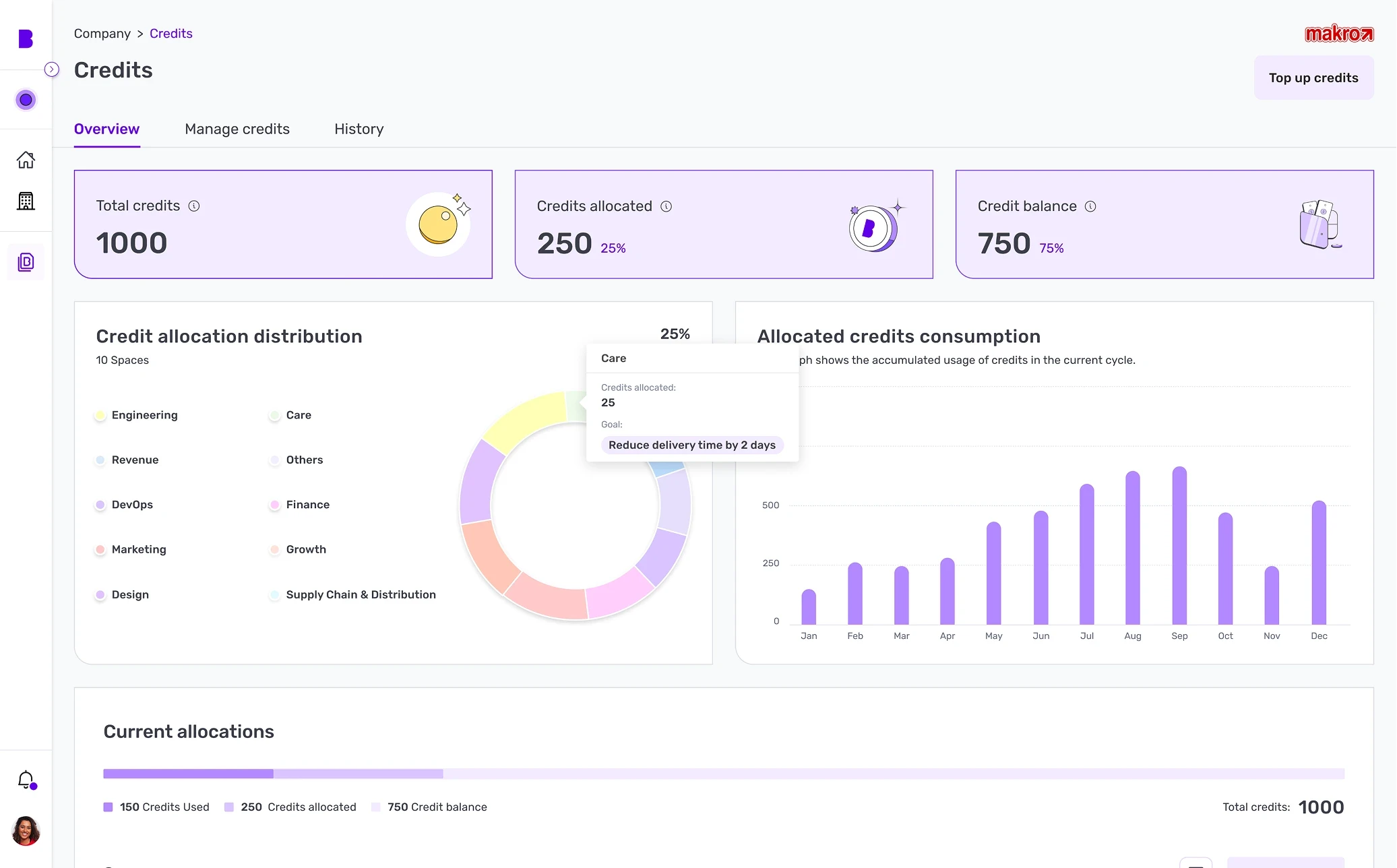
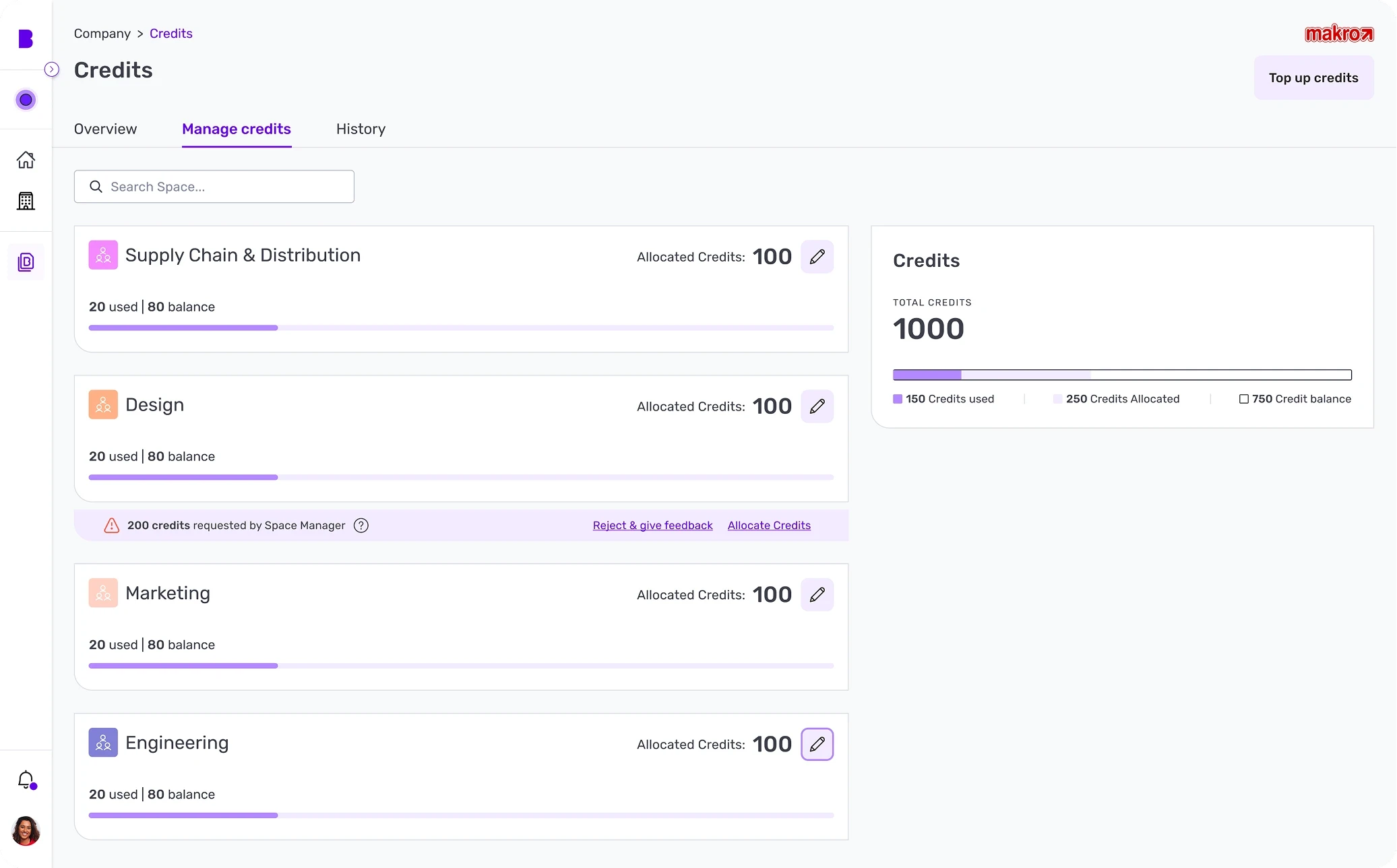
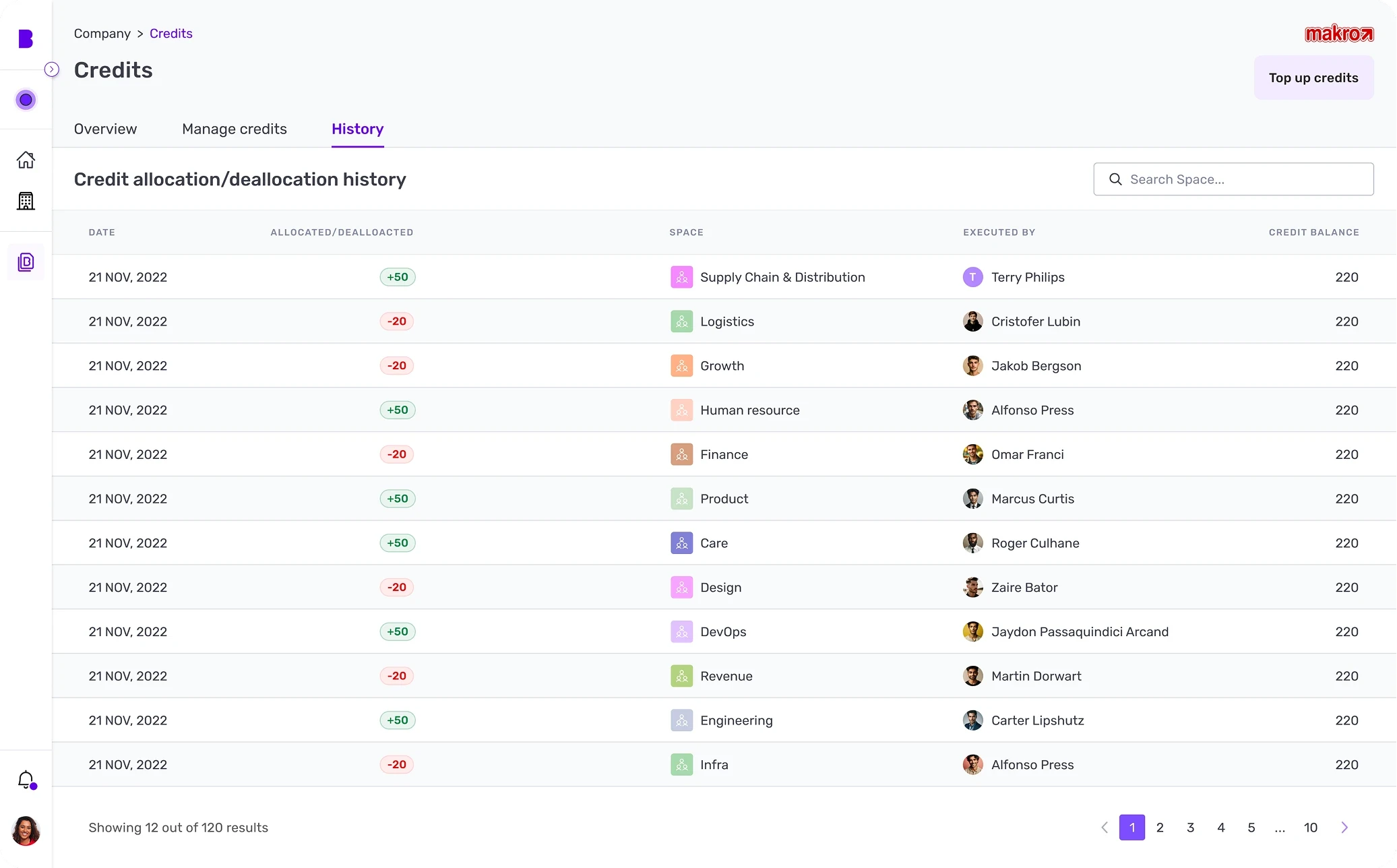
Leaders couldn't see how credits were used or move them between teams. I split the credit page into three clear jobs.
01
Overview
Credit use, allocation and consumption in one place, so decision-makers understand spend at a glance.
02
Manage
A credit management flow for requests and allocations across spaces, so control takes a few clicks.
03
Audit trail
A full log of every allocation and deallocation from day one, for transparency and accountability.
Showcase
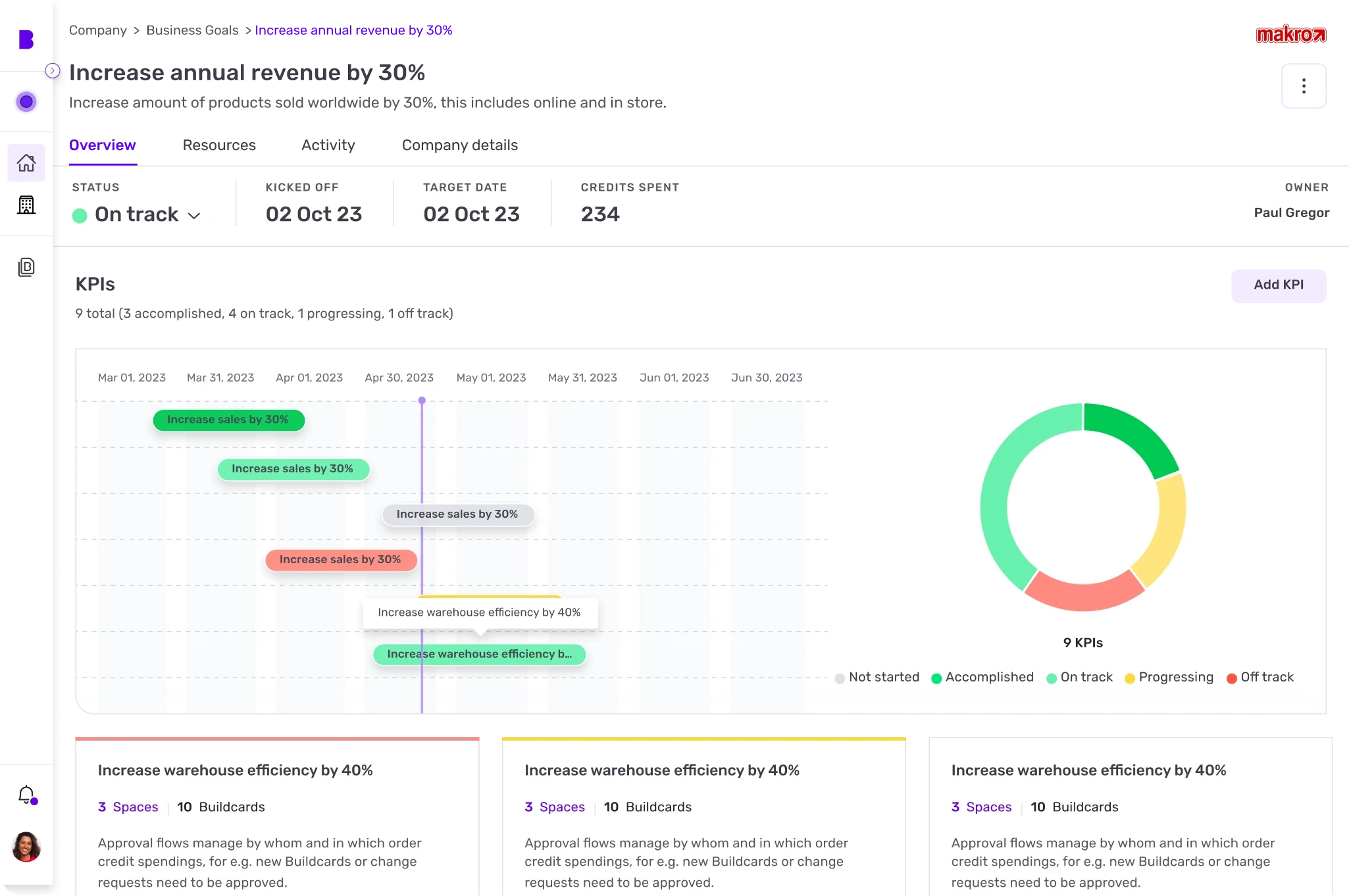
400+ key screens, 250+ components
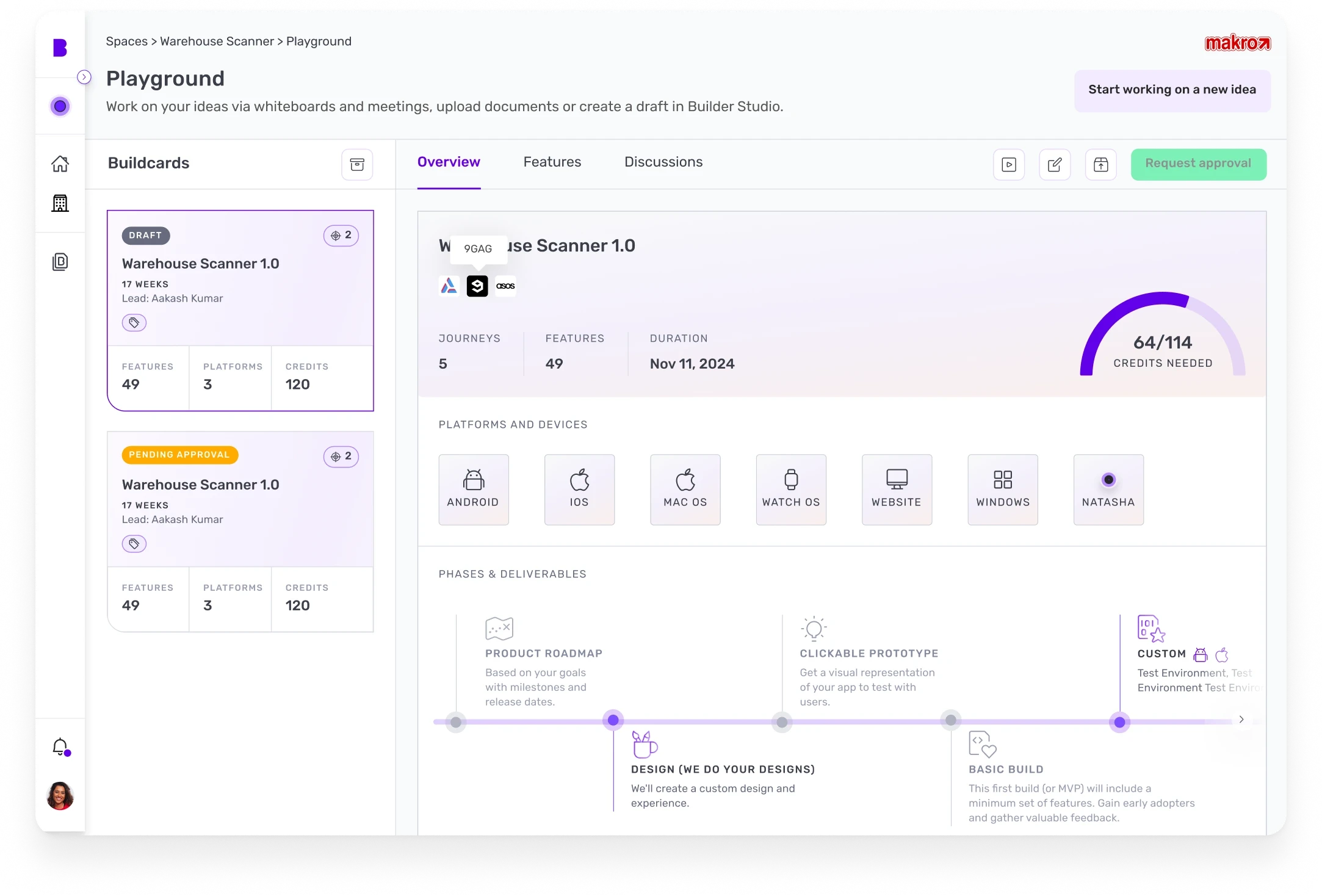
Alongside the platform I built the design system from 0 to 1 in Figma, so the team could keep shipping consistent screens as the product grew.
Impact
What it changed
For users
Faster decisions
Clearer dashboards and controls let leaders act without waiting on reports.
Less reliance on support
Guided, self-serve experiences replaced back and forth with the team.
Trust through transparency
Credits, status and timelines became visible to everyone who needed them.
Room to grow
Scalable foundations for the AI-led workflows that came next.
For the business
Product-market fit, validated
Design prototypes and iterative testing backed a $7.5M beta deal.
Adoption up 68%
Complex AI capabilities became simple UI patterns, so workflows were easier to pick up.
Customer lifetime value up 15%
Transparent AI suggestions built trust and engagement.
Reflection
What I learned
Adapt when research is thin
When users and data are hard to reach, be flexible and creative about how you learn.
Stakeholders hold the context
They carry deep knowledge of the business, and they keep the product aligned with its goals.
Iterate in the open
Feedback from designers, PMs and stakeholders shaped every round of this product.
Next case study